Sign-in problems: Dzhura account, Claude and Codex
SHIPIT has two different sign-ins: your Dzhura account and your assistants. Here is how to sort out each.
-
01Where to sign in to Dzhura
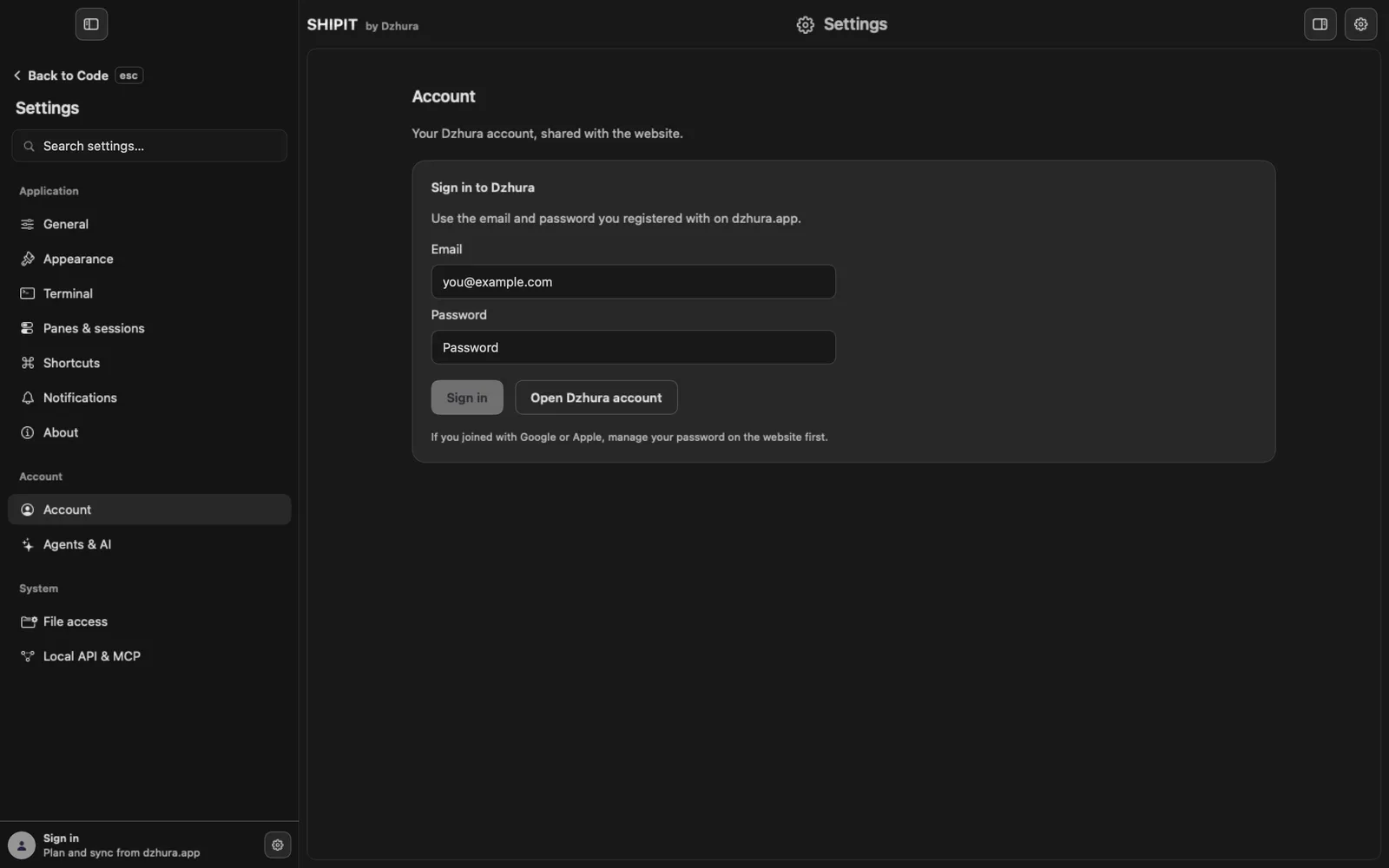
At the bottom of the sidebar there is Sign in with Plan and sync from dzhura.app under it. The sign-in itself lives in
Settings › Account: the Sign in to Dzhura box, with the email and password you registered with on dzhura.app.TipThe first sign-in is in the Account and devices guide.
-
02Wrong email or password
If the email or password does not match, a message appears under the password field. After several tries in a row SHIPIT asks you to wait a moment.
If you joined with Google or Apple, set a password on the website first. Open Dzhura account opens the account page. Forgot the password: that page has a Забув пароль? (Forgot password?) link, and the email comes to your inbox.
-
03The session expired or you are offline
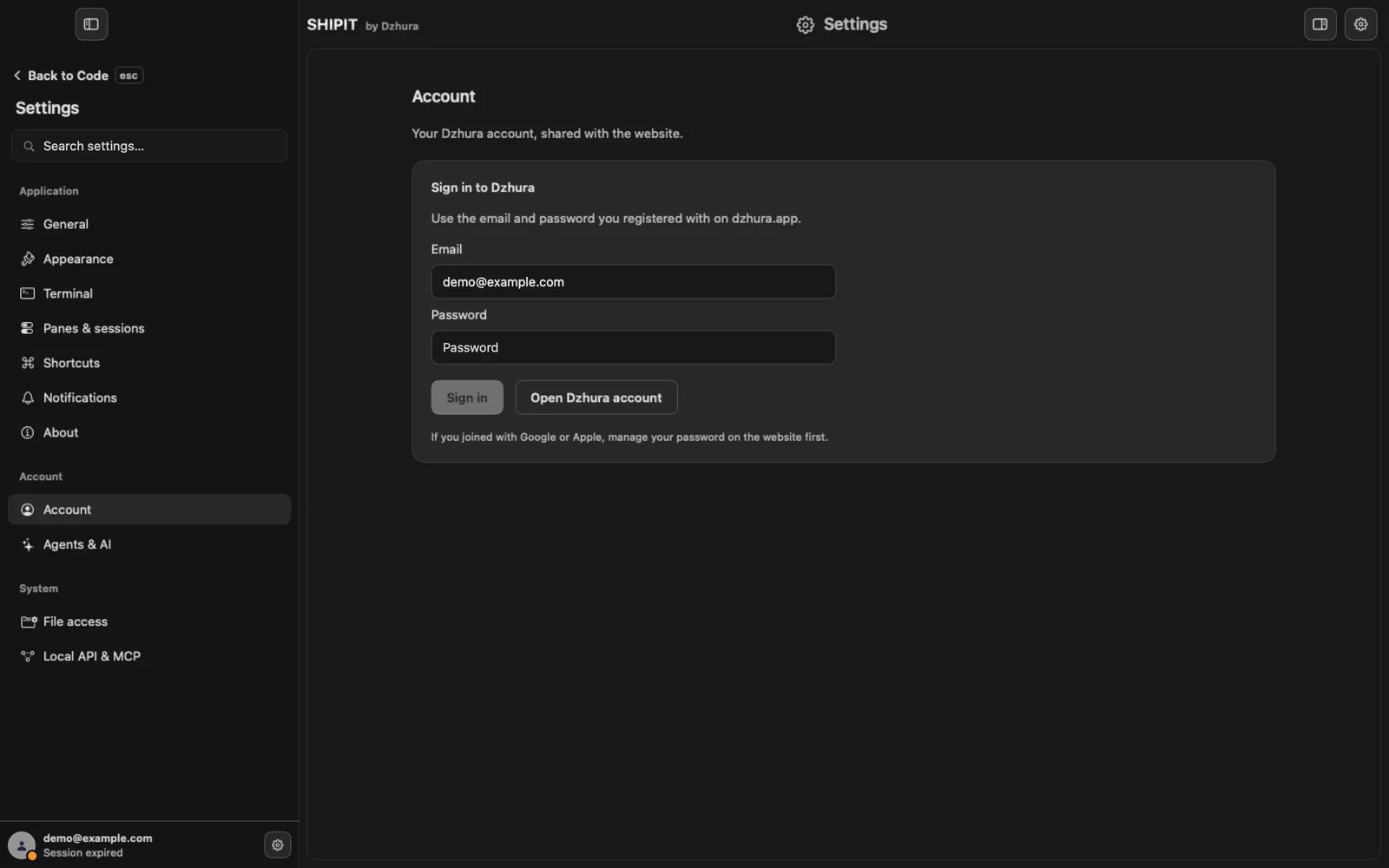
When the session expires, the bottom of the sidebar shows your email and Session expired. Open
Settings › Account: your email is already filled in, enter the password and click Sign in.If the account server cannot be reached, the page shows Offline — showing your saved profile. When the connection is back, click Refresh profile.
-
04Confirm your email on the website
After you register, the account page on dzhura.app shows Підтвердіть пошту (Confirm your email). Open the link in that email, and the SHIPIT download becomes available. The page is in Ukrainian for now.
No email: click Надіслати лист ще раз (Send the email again) and check your Spam and Promotions folders.
-
05Claude or Codex asks to sign in
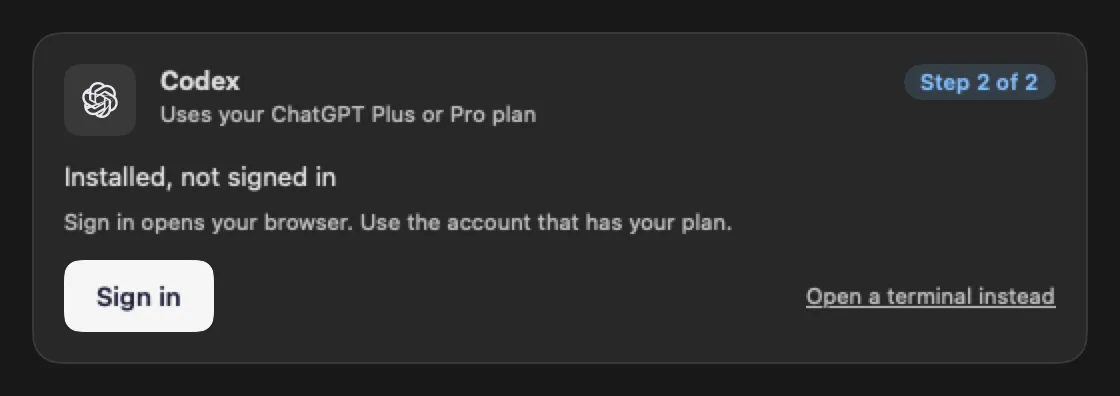
This is a different sign-in: to Anthropic or OpenAI, not to Dzhura. On the card in
Settings › Agents & AIthat says Installed, not signed in, click Sign in. Your browser opens: pick the account that has your plan.While the card waits, it says Finish signing in on the page that opened, then come back here. Closed the page: Open the page again.
-
06A strange sign-in link
SHIPIT opens only Anthropic and OpenAI sign-in pages. If the assistant gives another link, the card says This link is not from Anthropic or OpenAI, so SHIPIT did not open it.
Copy copies the link so you can look at it yourself. Do not open it unless you trust it.
Tips
- Your Dzhura account and your Claude or ChatGPT plan are different accounts with different passwords.
- The account page on the website is in Ukrainian for now.
Questions
Do I need to sign in to Claude if I already signed in to Dzhura?
Yes. The Dzhura account is for SHIPIT, while Claude Code and Codex run through your own Anthropic and OpenAI accounts.
I joined with Google. Why does SHIPIT ask for a password?
SHIPIT signs in with email and password. Set a password on the account page and it becomes a second way to sign in.
Next
- Your Dzhura account and your MacsOne Dzhura account works for the website and for SHIPIT. Sign in and SHIPIT knows your plan and name on each of your Macs.
- Connect Claude CodeIn a few minutes Claude Code is on your Mac and runs on the Claude plan you already have. You do not need a terminal.
- Connect CodexCodex sets up the same way as Claude Code: one button to install, one to sign in. It runs on the ChatGPT plan you already have.
- Something is wrong: symptom and fixFind your symptom and do what it says. If that does not help, the last step shows how to tell us.