Connect Claude Code
In a few minutes Claude Code is on your Mac and runs on the Claude plan you already have. You do not need a terminal.
-
01Find the Claude Code card
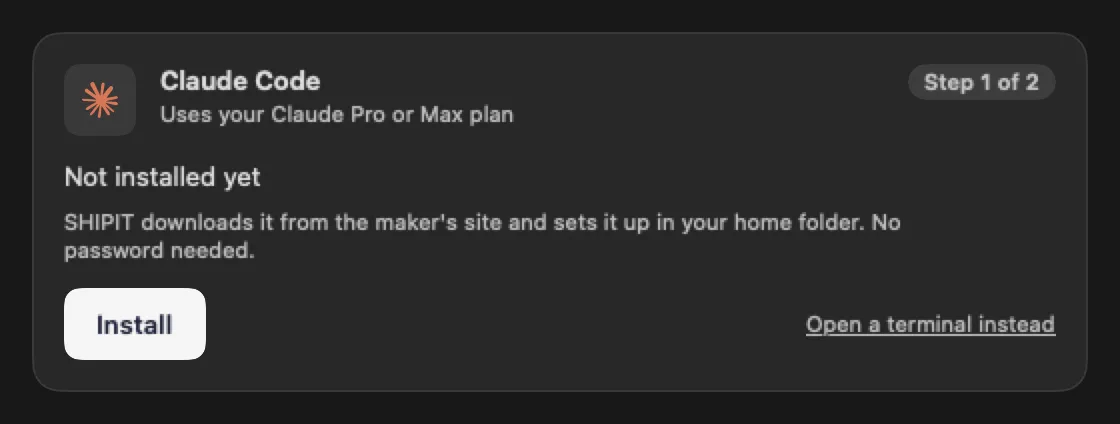
On first launch the card sits on the Connect your assistant step (Beginner and Intermediate levels). Later you find it in Settings → Agents & AI.
While Claude Code is missing, the card says Not installed yet. Click Install.
TipSHIPIT downloads Claude Code from the maker's site into your home folder, so it never asks for your Mac password.
-
02Wait for the install
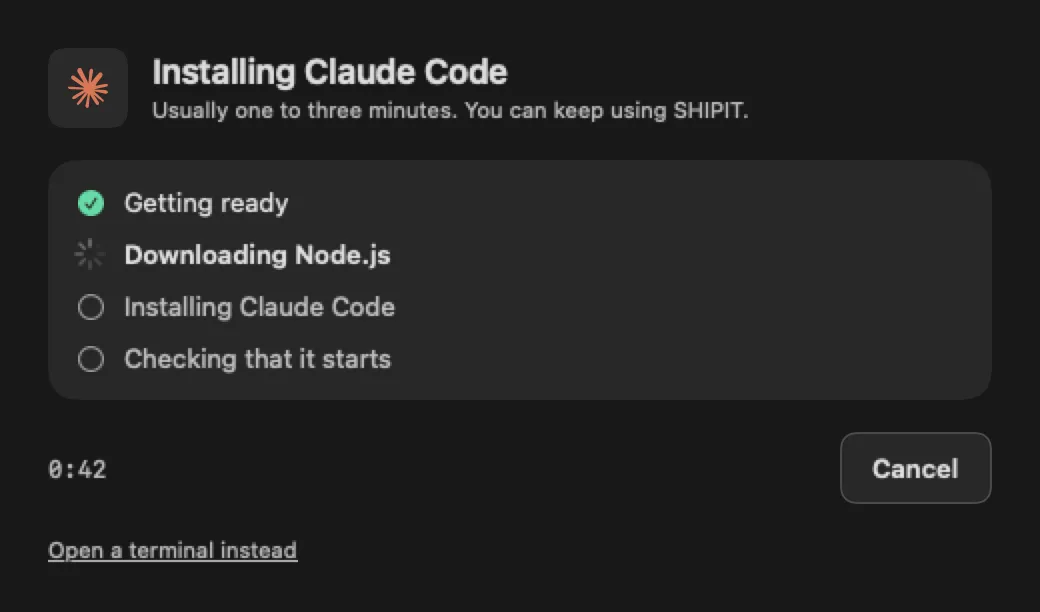
The Installing Claude Code window opens. It usually takes one to three minutes, and you can keep using SHIPIT meanwhile.
The list shows the current step. The last one, Checking that it starts, makes sure Claude Code really runs. Changed your mind? Click Cancel.
-
03Sign in to your Claude account
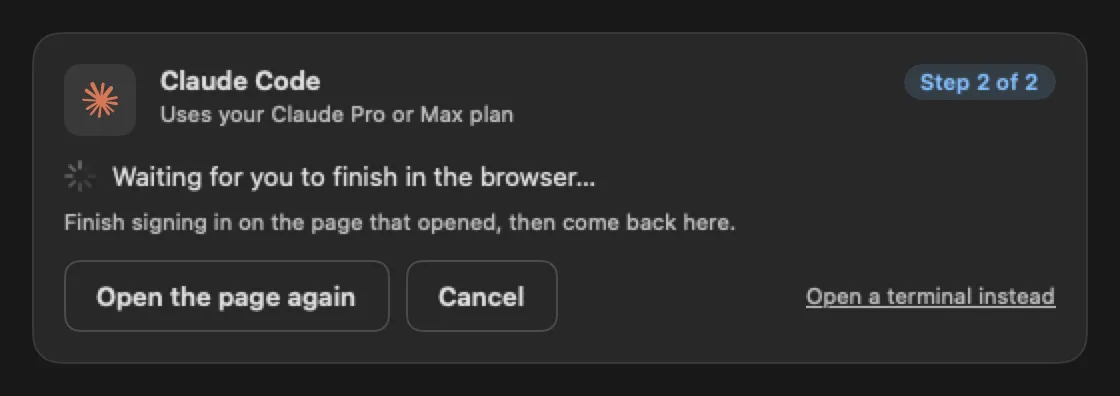
After the install the card says Installed, not signed in. Click Sign in and your browser opens the Claude sign-in page.
Sign in with the account that has your plan, then come back to SHIPIT. The card waits meanwhile. Closed the page by accident? Click Open the page again.
TipYou type your password on the Anthropic page in your browser, not in SHIPIT.
-
04Check that it is ready
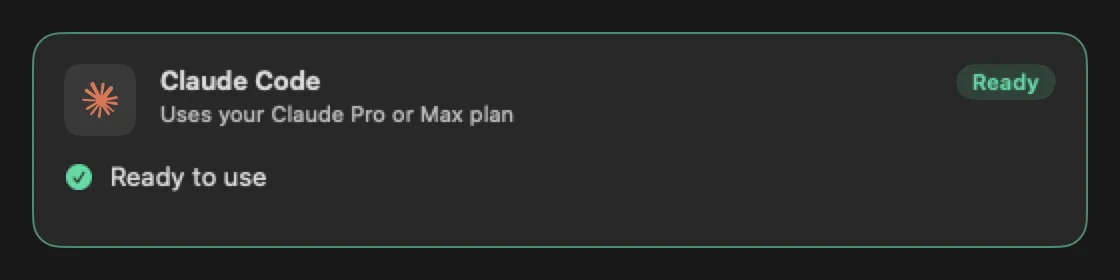
When the sign-in goes through, the card turns green and says Ready to use. The badge in the corner changes to Ready.
You can now pick Claude Code for agents and Code panes.
-
05No Claude plan yet
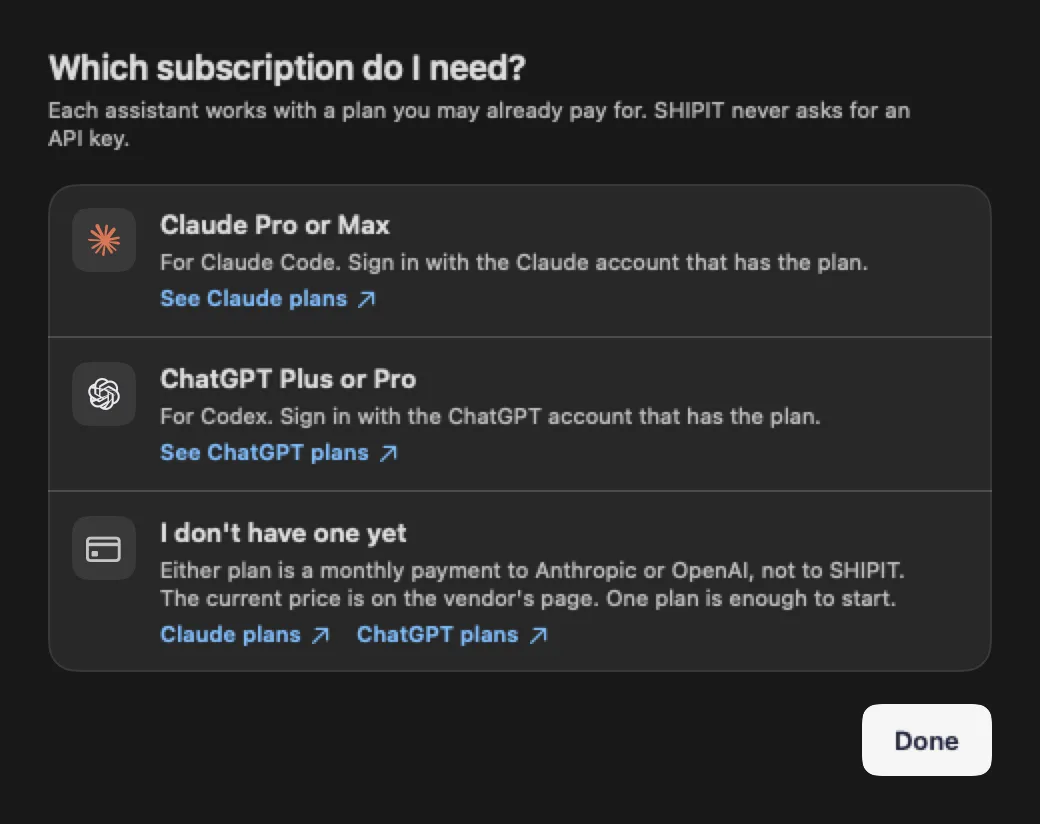
Click Which subscription do I need?. Claude Code works with a plan you pay Anthropic for, not SHIPIT. SHIPIT never asks for an API key.
See Claude plans opens the current plans on the Anthropic site.
-
06Pick the default engine
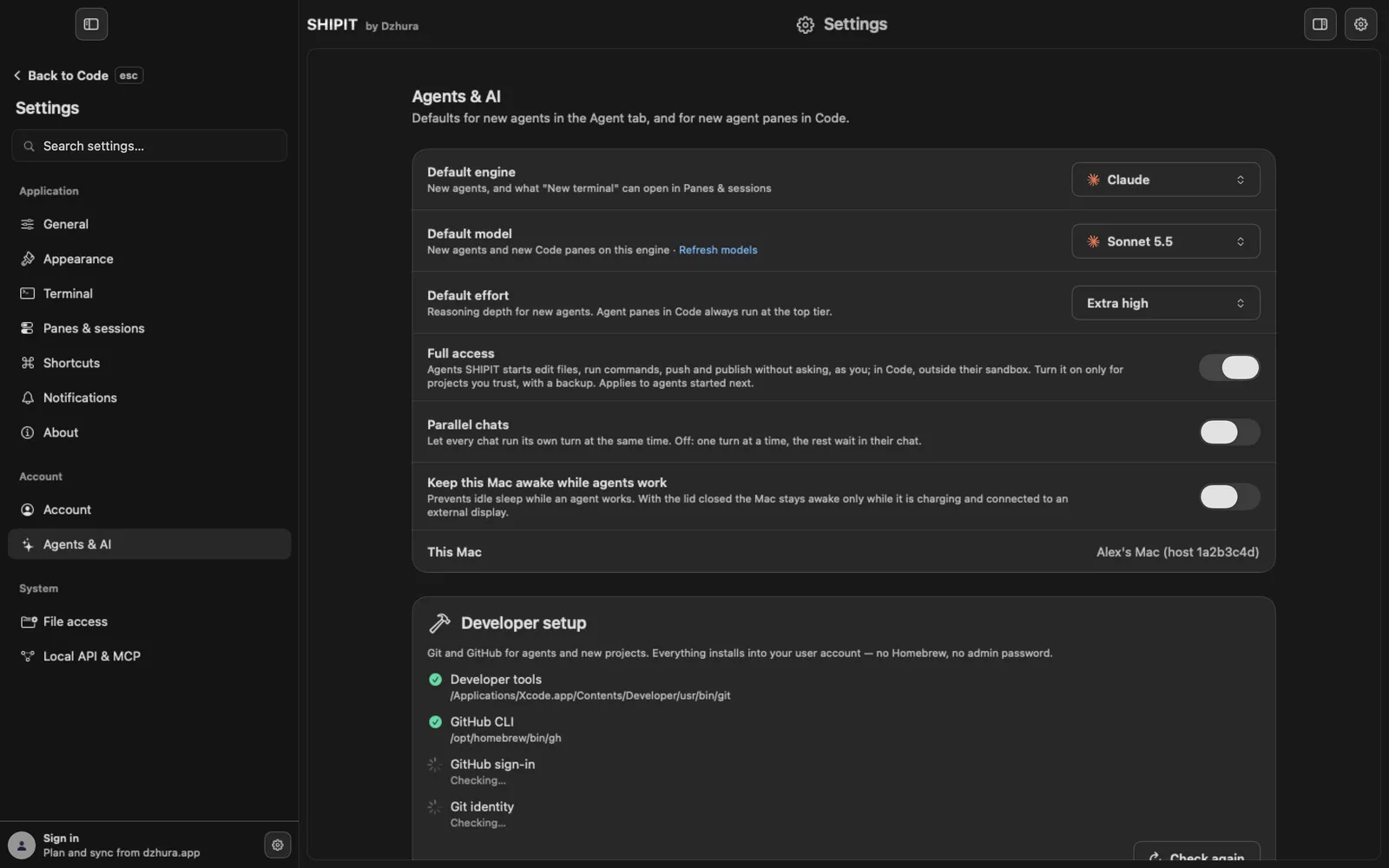
If you connect both Claude Code and Codex, choose which one new agents start with: Settings → Agents & AI → Default engine.
Tips
- Open a terminal instead runs the same steps in a Code pane where you see every line and can type.
- One assistant is enough to start. You can connect the second one any time.
- Once both assistants are ready, the cards leave Settings.
Questions
The install stopped with an error. What now?
Check that the Mac is online and click Try again. Copy details copies the error text if you want to show it to someone.
Where does SHIPIT put Claude Code?
In your home folder, under ~/.local/bin, using the official Anthropic installer.
The browser closed, but the card still says I am not signed in.
Click Sign in again and finish with the account that has your Claude plan.