Report a problem and crash reports
Describe what went wrong, and we get it together with the app version. Automatic crash reports are sent only if you turn them on.
-
01Where it is
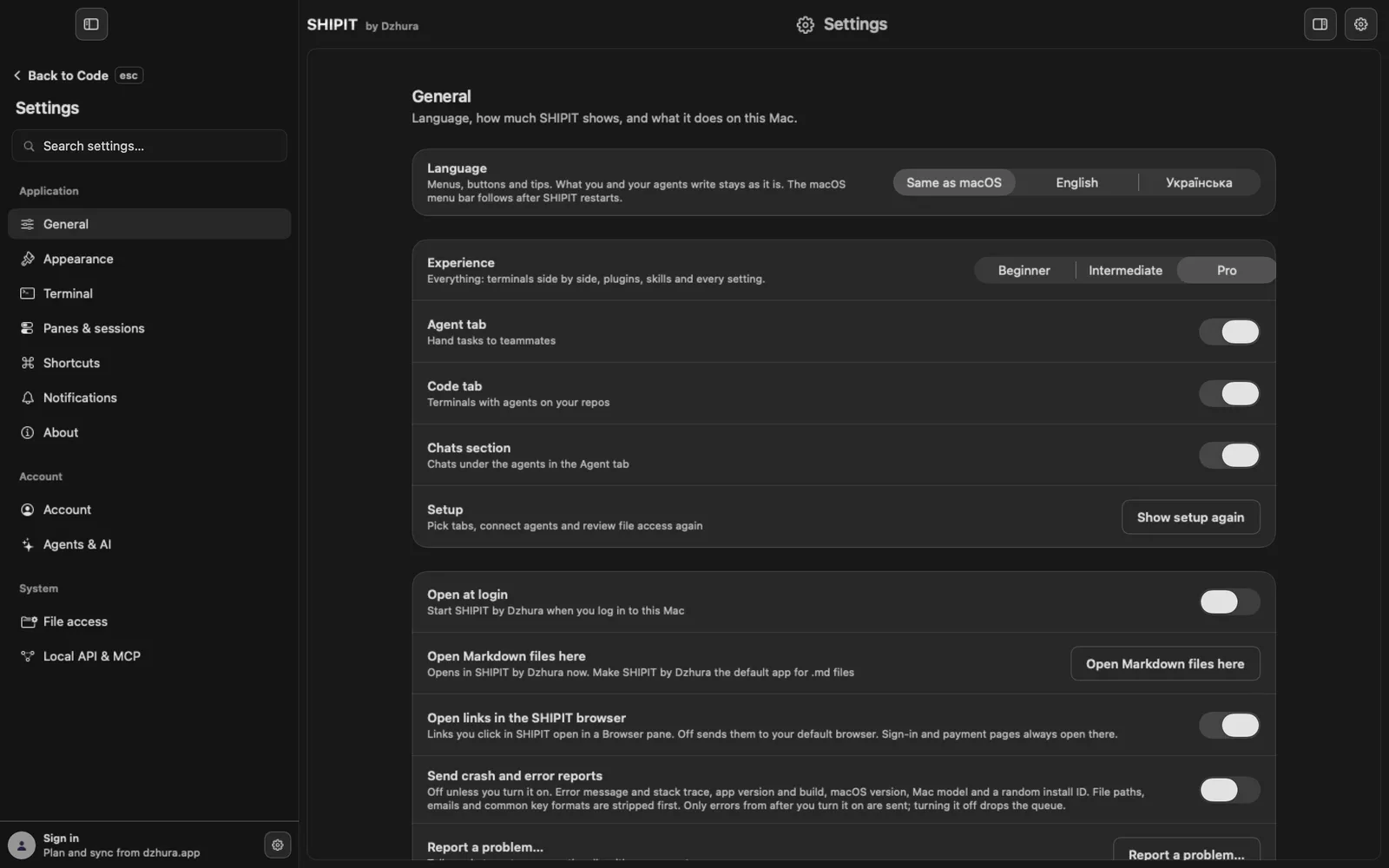
Open
Settings › Generaland click Report a problem…. The same item, Report a Problem…, is in the Help menu of the macOS menu bar. -
02Say what happened
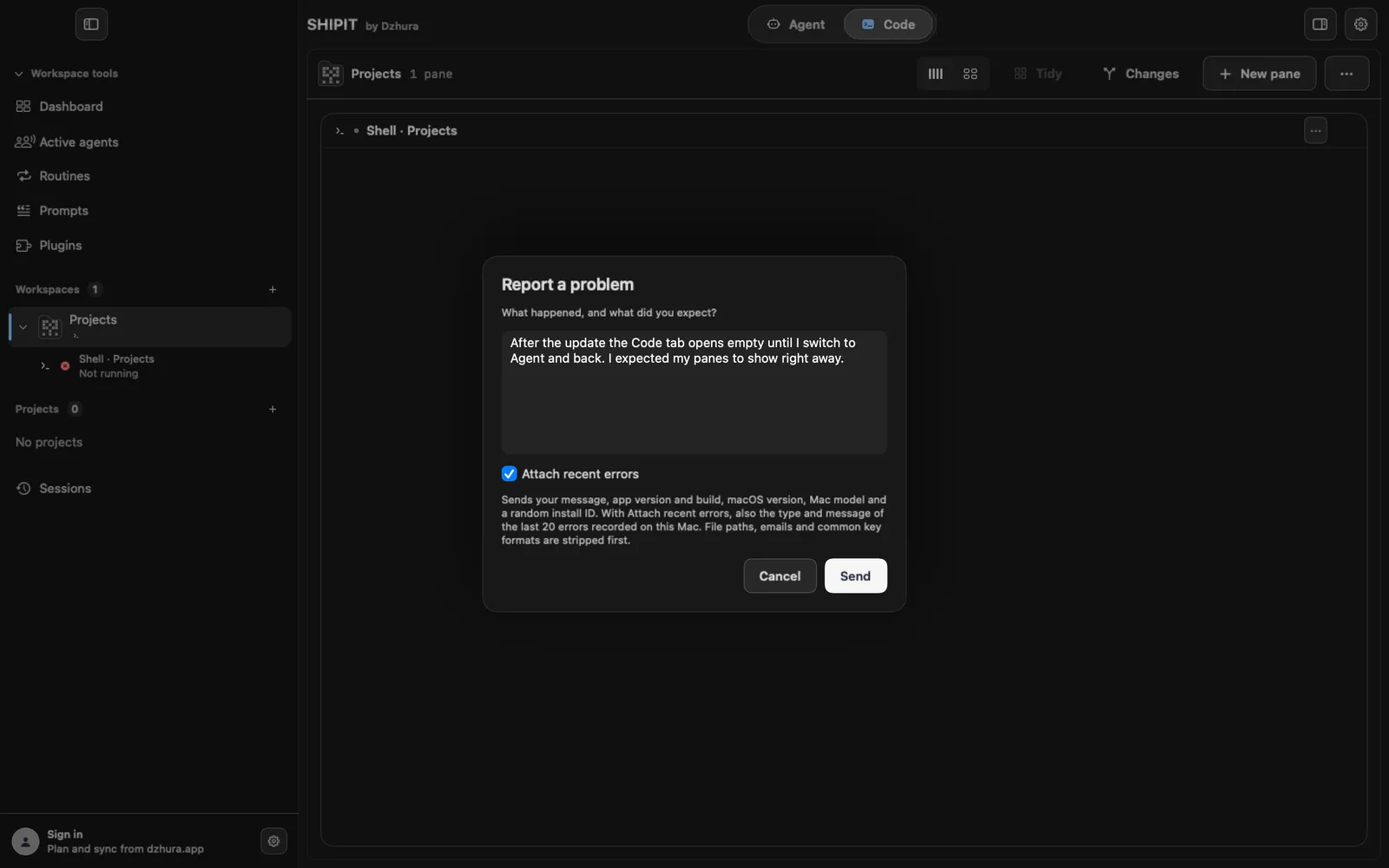
The Report a problem window opens and asks What happened, and what did you expect? Write what you did, what you saw and what should have happened. Send becomes active as soon as there is text.
Attach recent errors is on from the start: the last 20 errors recorded on this Mac go with your note. You can turn it off.
TipOne problem per report, with the steps to repeat it.
-
03What is sent
Your message, app version and build, macOS version, Mac model and a random install ID. With Attach recent errors, also the type and message of the last 20 errors. File paths, emails and common key formats are stripped first.
The window lists all of this above Send. The report goes out even with automatic reports off: you asked for it yourself.
-
04Automatic crash reports
The Send crash and error reports switch in
Settings › Generalis off unless you turn it on. A report holds the error message and stack trace, app version and build, macOS version, Mac model and a random install ID.Only errors from after you turn it on are sent. Turning it off drops the queue that has not gone out yet.
TipThe same switch is on the Privacy step of the first setup.
-
05The question after launch
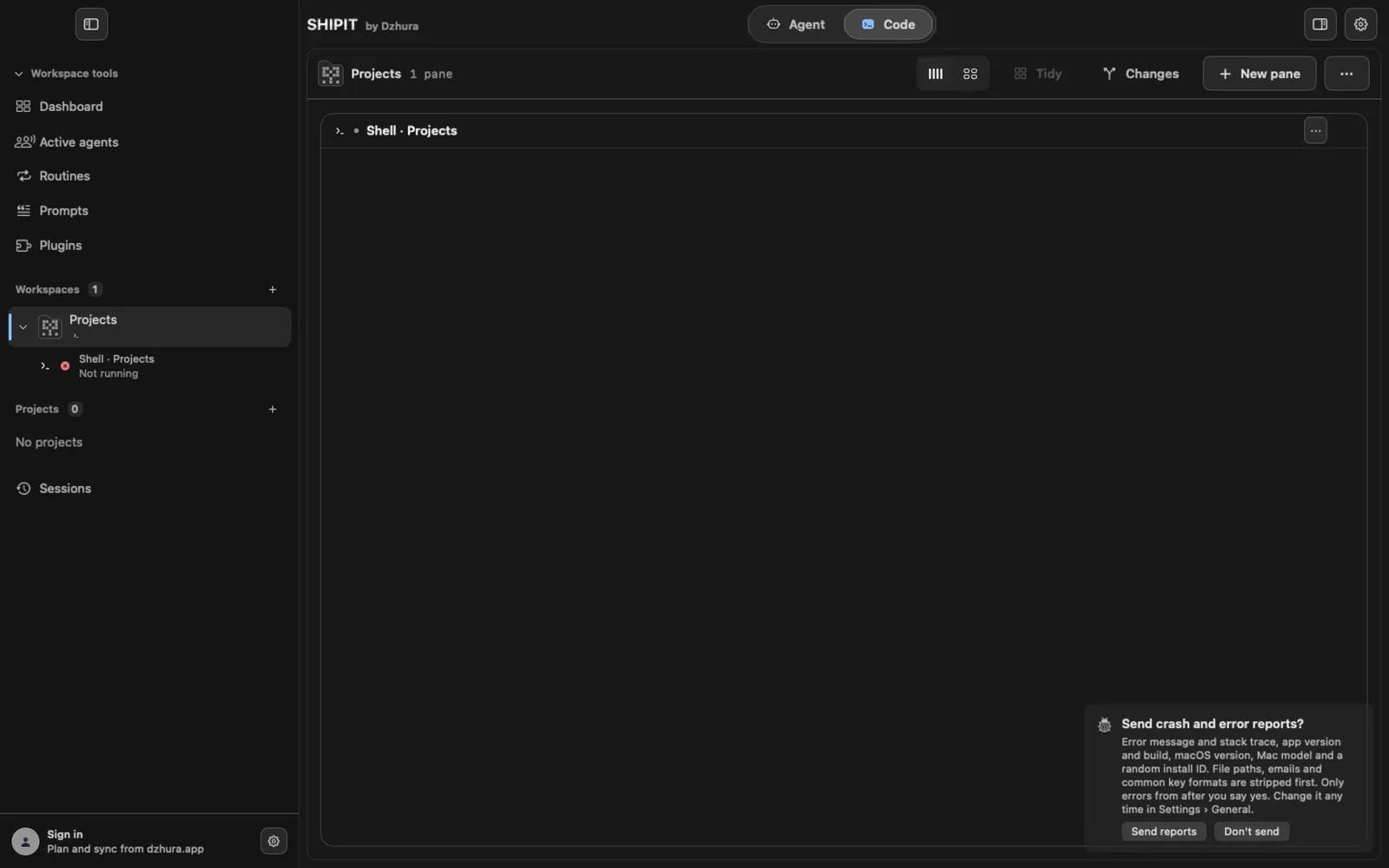
Until you decide, a few seconds after launch a card in the corner asks Send crash and error reports? with Send reports and Don't send.
It blocks nothing. Until you answer, no reports are sent.
Tips
- The version and build number are in Settings › About.
- If an assistant install failed, Copy details from that window can go into your note.
Questions
Can I send a report with automatic reports off?
Yes. Report a problem works regardless of that switch.
Do my files or prompts end up in a report?
No. Only your note, technical details about the app and the Mac and, if you want, recent errors go out. Paths, emails and keys are stripped.
Next
- Something is wrong: symptom and fixFind your symptom and do what it says. If that does not help, the last step shows how to tell us.
- Privacy and access: what SHIPIT sees and what agents may doYour work stays yours. Here is what SHIPIT sends, how to set the rules for agents and why macOS asks about folder access.
- Updating SHIPITSHIPIT checks for updates by itself and installs nothing without you. A new build waits in the sidebar until you click it.