The Agent tab at a glance
In three minutes you will know how the Agent tab is laid out: who is on the team, where the chats are and where to type a task.
-
01Open the Agent tab
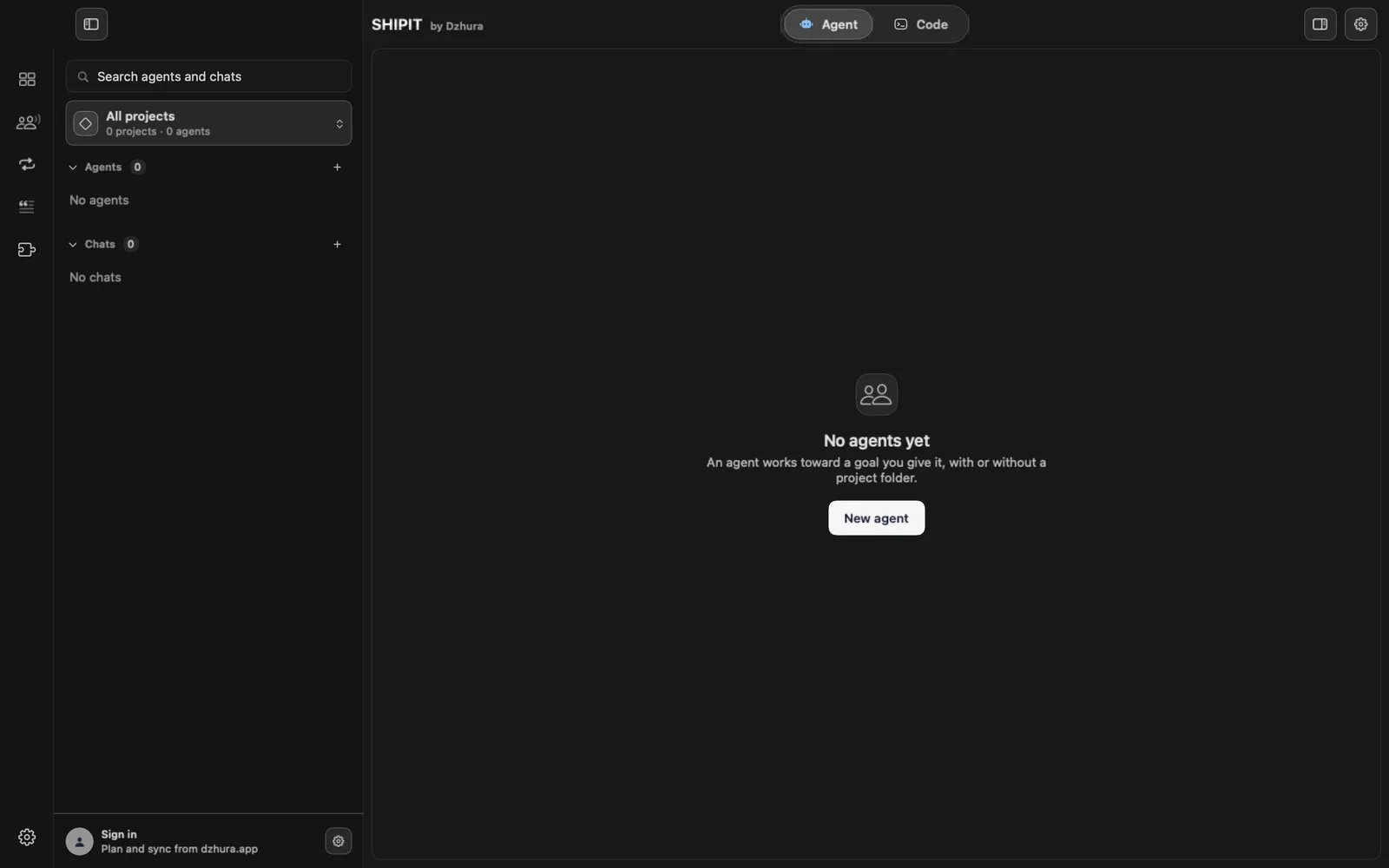
Agents work in the Agent tab. Until you have one, it says No agents yet and shows a button to create the first.
-
02The team and its lead
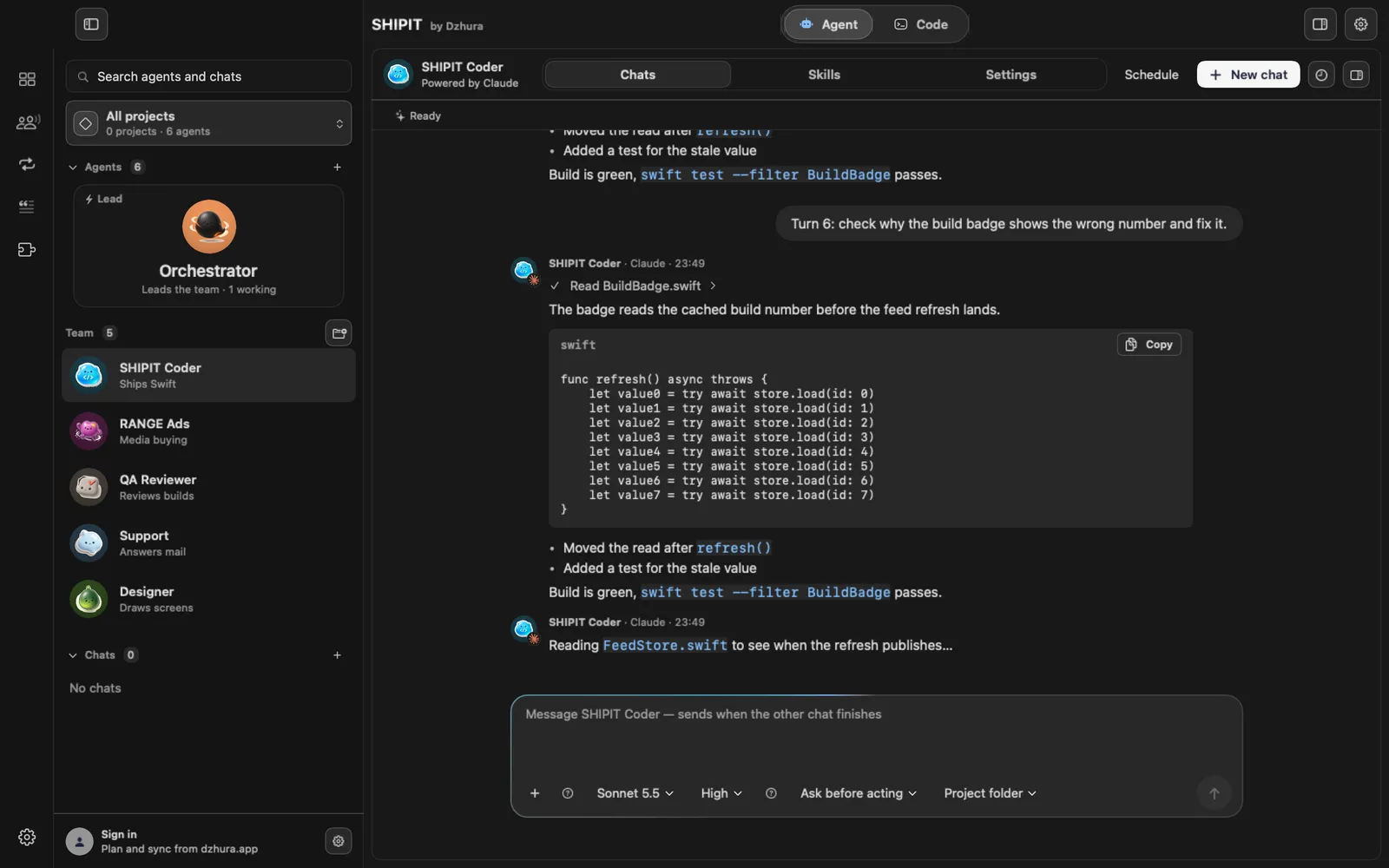
The left column is your team. The card at the top is the lead: it takes your requests and hands out work.
Under the lead's name you see how many teammates are working, or that all are free.
-
03Chats, Skills, Settings
Every agent has three tabs: Chats, Skills and Settings. New chat on the right opens a fresh conversation with the same agent.
-
04The task field
You type the task at the bottom. Under the field is one row: + for files and context, model, effort, permission and Project folder.
-
05Questions come as cards
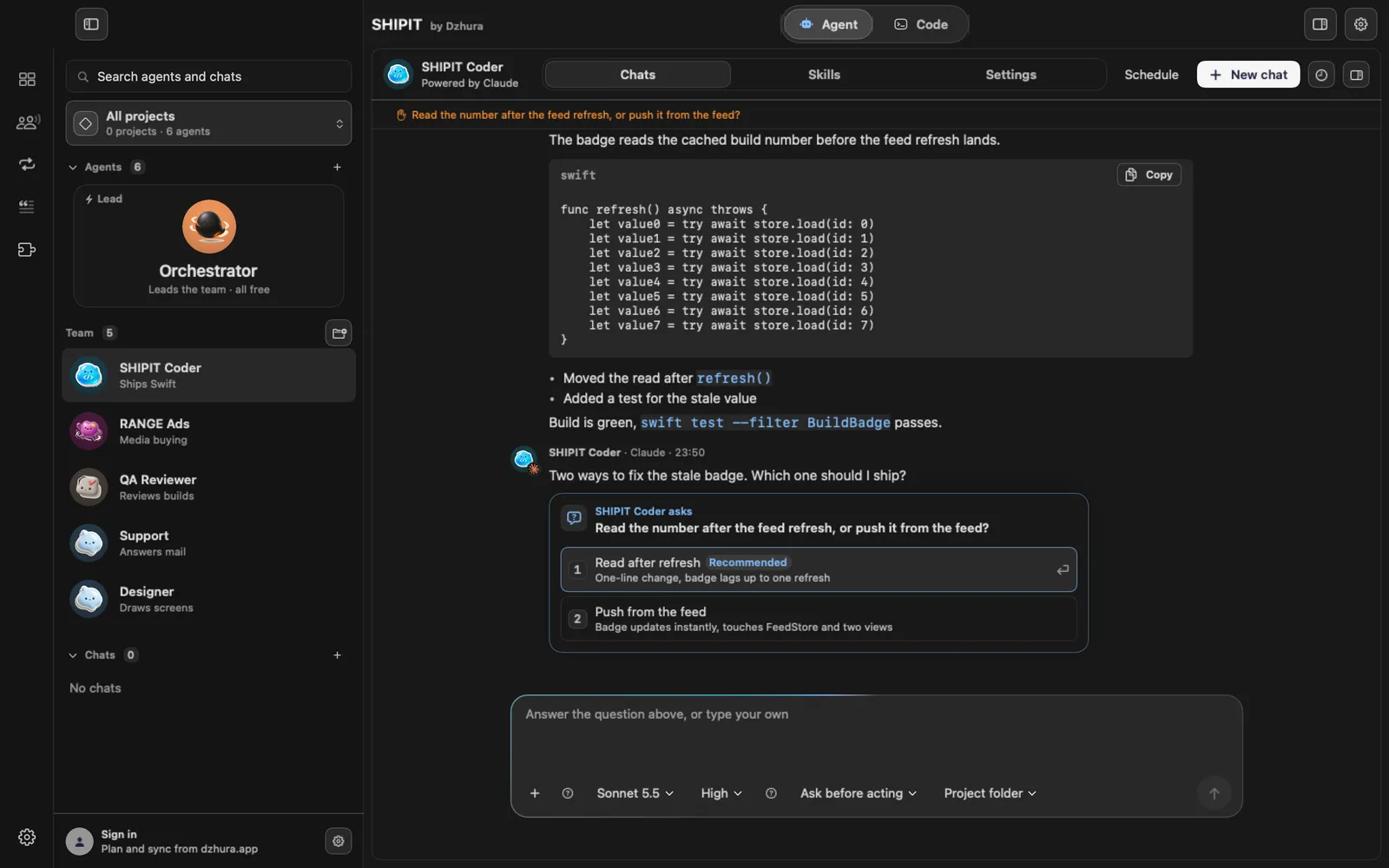
When the agent needs a choice, it asks with a card of numbered options. One is marked Recommended. Click an option or type your own answer in the field.
Tips
- An agent can work without a project folder too: research, planning, writing.
- Search at the top left finds both agents and chats.
Questions
What does the lead do?
It takes your requests, hands out work to teammates and hires new ones when you ask.
Next
- Your first task for an agentYou will create an agent, give it a folder and send its first task. It takes a few minutes.
- Hire a teammateThe lead hires new teammates only when you ask, with one confirmation. Both ways are here: through the lead and by hand.
- Approvals and Ask before actingYou decide what an agent does on its own and what waits for your yes. Here is where to set it.